CLI Agents on Replit
A guide to installing and running Claude Code, Codex, Antigravity CLI, Grok Build, and Muse Code agents directly in your Replit terminal to save costs and supercharge your vibe coding workflow.
Tutorial Sponsored by StockDips.AI
Why use a Command Line Interface (CLI) Agents?
Matt Palmer from Replit recently posted a great youtube tutorial showing how to run Claude Code within the Replit terminal shell.
It takes a little bit of technical navigating, but this is an extremely worthwhile investment. If you have used Replit for a while, you know that development costs can quickly skyrocke due to markups on their inference costs. If you already have a paid Anthropic, ChatGPT, or Gemini subscription, these agents can save you a TON on Replit Agent costs. It's not nearly as hard as it looks!
What are CLI Agents?
Most people are familiar with using AI via a chat interface in their browser. CLI agents start and live within your project directory, meaning they have direct access to files and your entire codebase. This means they can autonomously perform complex operations without you having to manually copy and paste code snippets or upload files (after granted permission).
The Agents
Frontier Tier: Driven by Fable 5.1 (the current pinnacle for overall model strength) alongside Opus 5 as Anthropic's dependable day-to-day workhorse.
Strengths: Undisputed gold standard on SWE-bench Verified. Celebrated for disciplined architectural planning, flawless multi-file refactoring, and test-driven debugging that strictly follows complex instructions without derailing.
Trade-offs: Fable 5.1 is premium-priced and expensive for high token volume; deep thinking passes take time; strict rate limits apply on peak tiers.
Frontier Tier: Anchored by GPT-5.6 Sol for peak power and GPT-5.6 Luna for cost-efficient reasoning, with the breakthrough GPT-6 Astra just released and rolling out to all paid plans.
Strengths: Top benchmark performer on Terminal-Bench. Exceptional at deep mathematical logic, obscure edge-case debugging, system architecture, and structured preview iterations across massive monorepos.
Trade-offs: High reasoning effort with Sol can be slow and token-heavy; can occasionally over-engineer solutions for simple tasks instead of choosing the direct path.
Workhorse Tier: Powered by Google's breakthrough Gemini 3.8 Flash model.
Strengths: Gemini 3.8 Flash is an absolute speed demon and cost-efficiency marvel. Delivers an unmatched 1M+ token context window, instant multimodal ingestion (can visually inspect rendered UI screenshots, charts, and PDFs directly), and blazing-fast generation that makes web/UI vibe-coding feel instantaneous.
Trade-offs: On deeply nested, abstract architectural refactors across dozens of backend files, it can occasionally take shortcuts or get caught in thinking loops compared to frontier heavyweights like Fable 5.1 or Codex Sol.
Economy Tier: Powered by Grok 4.6.
Strengths: Incredible token economy ($2/$6 per million tokens) with competitive reasoning. Features an interactive TUI, real-time knowledge retrieval, and a lean "behavioral economy" aimed at resolving issues in fewer round-trip steps.
Trade-offs: Slightly trails Claude Code and Codex on deep software engineering benchmarks (DeepSWE, Terminal-Bench); smaller ecosystem of pre-built community extensions.
Agentic Orchestration: Powered by Muse Spark 1.3.
Strengths: Built from the ground up for long-horizon agentic workflows, multi-agent orchestration, and persistent background subagents. Unbeatable Contributor tier pricing (fractions of a cent per million tokens) with seamless autonomous --yolo execution.
Trade-offs: Brand-new ecosystem; requires developer API onboarding; less tailored for single-turn interactive UI tweaking than Gemini 3.8 Flash.
Intelligent Multi-Model Routing: Dynamically orchestrates a suite of models depending on the need.
Strengths: Routes complex reasoning and code synthesis to frontier models like Claude (Opus 5 / Fable), rapid UI design and multimodal tasks to Gemini 3.8 Flash, and diagnostics to internal models. Unbeatable native environment integration: automatic port binding, live PostgreSQL database provisioning, schema migrations, secrets management, and instant hosting.
Trade-offs: Charged per task checkpoint based on complexity; can become expensive for routine, repetitive code edits where free or low-cost CLI agents thrive.
While Anthropic (Fable 5.1 / Opus 5) and OpenAI (GPT-5.6 Sol / Luna, plus the newly released GPT-6 Astra) define the "frontier" in pure benchmark reasoning, Google's Gemini 3.8 Flash has transformed everyday coding with blazing speed, massive 1M+ multimodal context, and unbeatable cost efficiency. My multi-agent workflow is to use Codex, Antigravity CLI, Grok Build, and Muse Code alongside Replit Agent because each brings distinct strengths and trade-offs. This setup lets me cross-check solutions, compare alternative refactoring strategies, and conduct rigorous security reviews. I lean on frontier models (Codex Sol and Claude Code) for heavy architecture and deep logic, Antigravity CLI (Gemini 3.8 Flash) for fast UI iteration and large-context repository exploration, Grok Build and Muse Code for cost-effective exploratory tasks and persistent subagents, and Replit Agent whenever native environment integration—like database schema migrations and hosting configuration—is required.
CLI Agent Installation Guide
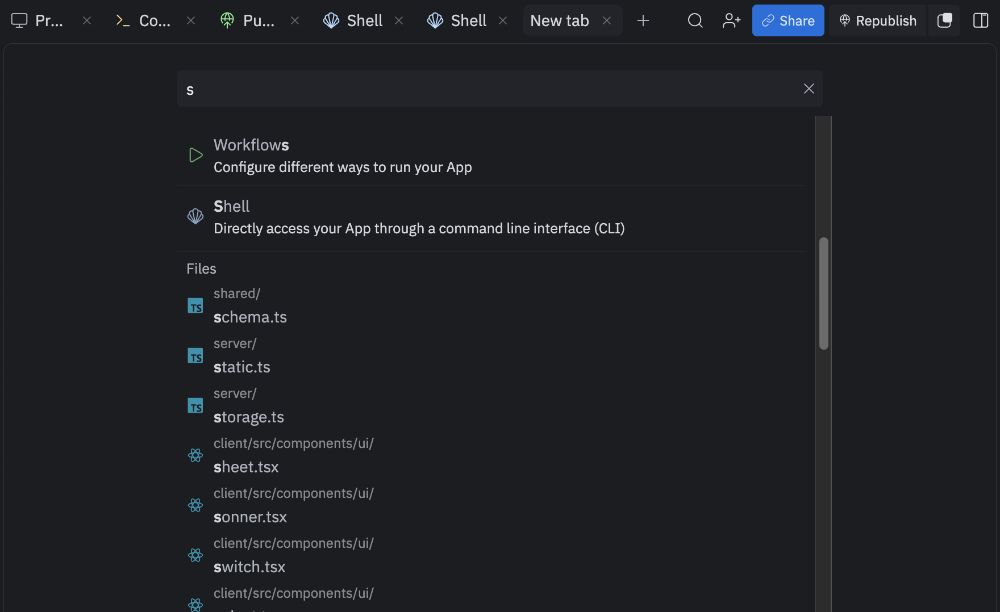
Follow these steps to get each agent running in your Replit shell. You only have to do the install step once for each agent.
1. Claude Code (Anthropic) 🧠
npm install -g @anthropic-ai/claude-code
Start the agent:
claude
Or start and grant all permissions (skips interactive confirmation prompts):
claude --dangerously-skip-permissions
Authentication Trick:
1. Log in to your Anthropic account when prompted.
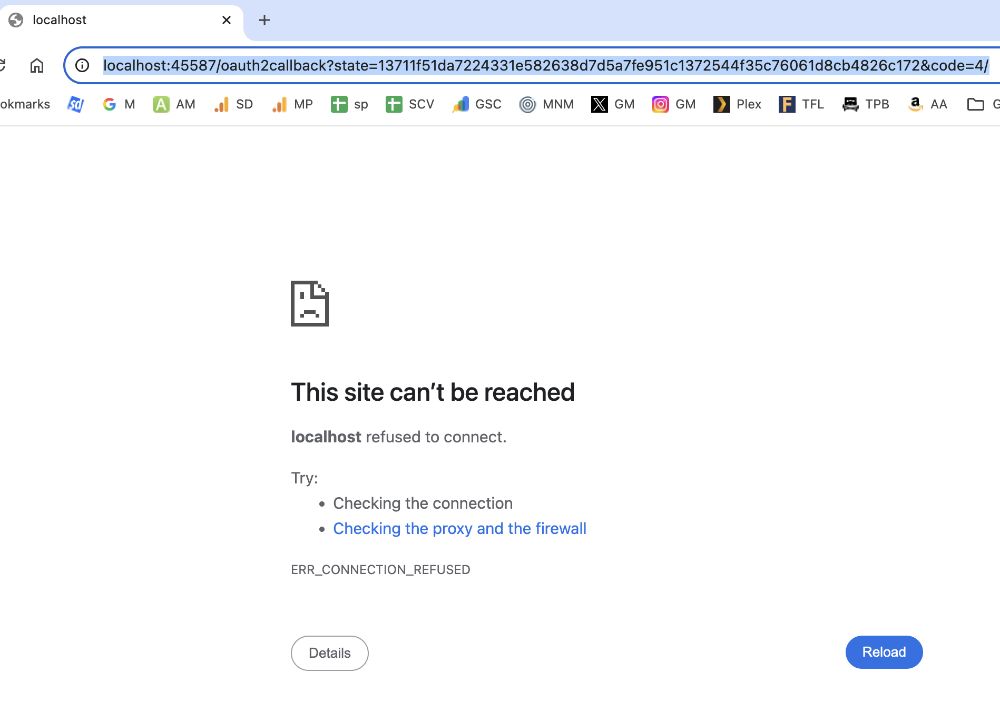
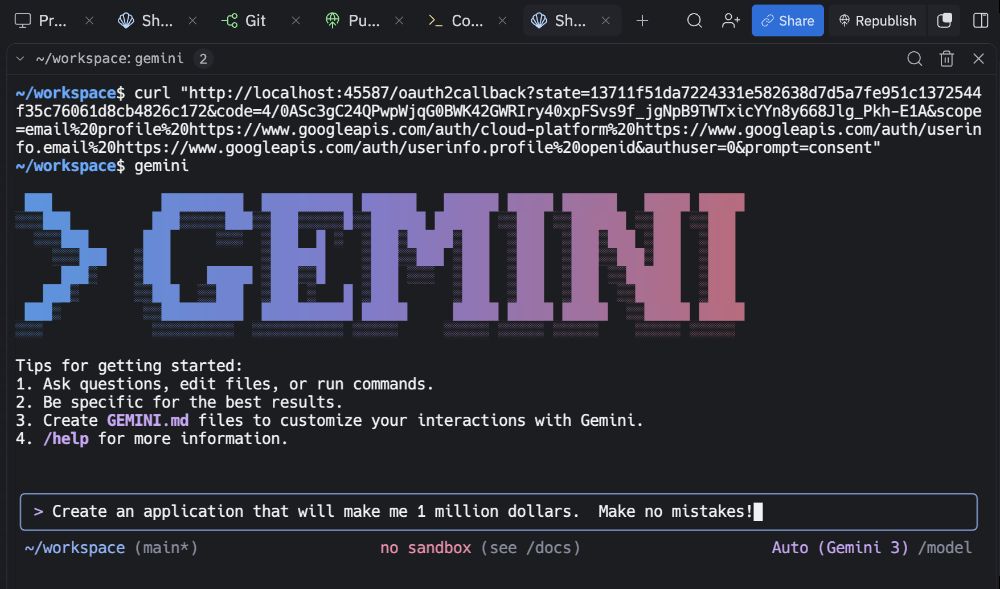
2. When you get to the "broken" page (localhost), copy the URL.
3. Open a new shell tab in Replit.
4. Type: curl "YOUR_BROKEN_URL" (include the quotes).
5. Type: claude (or go back to your original shell) and you're in!
2. Codex (OpenAI) 🤖
A powerful alternative for complex logic.
npm install -g @openai/codex
Start the agent:
codex
Or start in YOLO mode (bypasses approval prompts and sandbox restrictions):
codex --yolo
Authentication Trick:
1. Log in to your OpenAI account when prompted.
2. When you get to the "broken" page (localhost), copy the URL.
3. Open a new shell tab in Replit.
4. Type: curl "YOUR_BROKEN_URL" (include the quotes).
5. Type: codex (or go back to your original shell) and you're in!
3. Antigravity CLI (Google) ✨
Powered by Google's breakthrough Gemini 3.8 Flash model, Antigravity CLI is built for rapid web/UI iteration, massive 1M+ multimodal context, and lightning-fast execution. This is Google's current terminal coding agent — the successor to Gemini CLI.
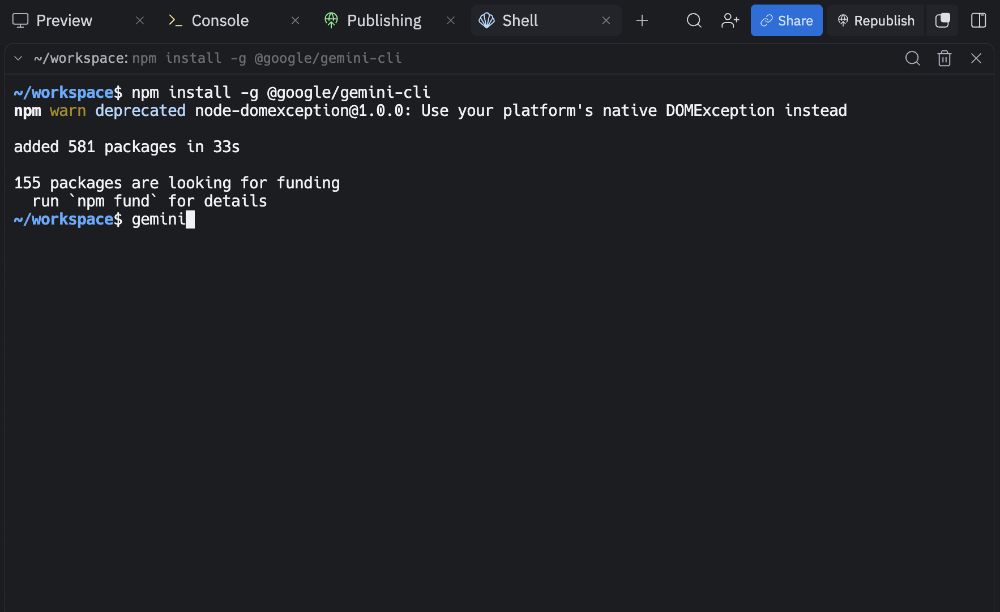
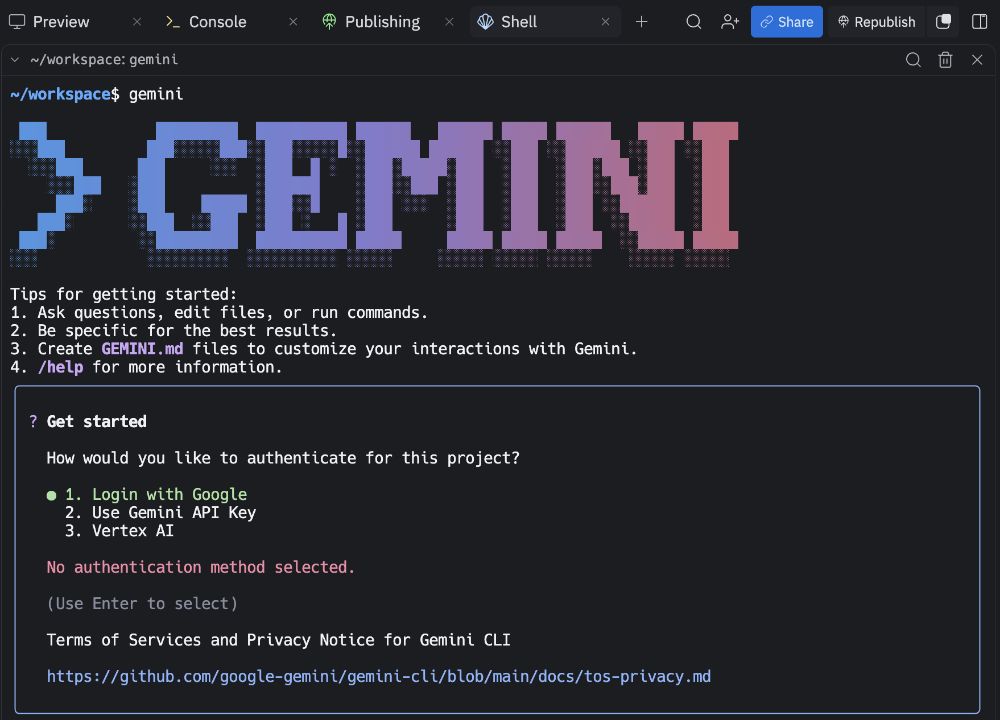
Google announced the switch on May 19, 2026 at I/O, folding Gemini CLI into Antigravity CLI (the command is agy, not gemini). On June 18, 2026, Gemini CLI stopped serving requests for free Google accounts and Google AI Pro/Ultra. The old npm install -g @google/gemini-cli path is no longer the supported consumer install. Skills, hooks, subagents, and extensions (now called plugins) still carry over; the first time you run agy, it can import existing Gemini CLI config.
Unlike other CLI agents that use npm, Antigravity uses a native compiled binary. Run this one-liner to download it directly into your persistent Replit workspace and wire it to your shell's default path:
curl -fsSL https://antigravity.google/cli/install.sh | bash && mkdir -p ~/workspace/.bin ~/workspace/.config/npm/node_global/bin && mv ~/.local/bin/agy ~/workspace/.bin/agy && ln -sf ~/workspace/.bin/agy ~/workspace/.config/npm/node_global/bin/agy
Start the agent (works immediately across any shell tab and survives container restarts):
agy
Or start and instruct Antigravity to grant all permissions (skips interactive confirmation prompts):
agy --dangerously-skip-permissions
Authentication Trick:
Replit cannot open a local browser, so Antigravity CLI usually prints an authorization URL instead.
1. Run agy and copy the authorization URL it prints.
2. Open that URL in your local browser and log in to your Google account.
3. Paste the alphanumeric code from the browser back into the Replit shell.
4. Grok Build (xAI) 🌀
Grok Build is xAI's terminal-based coding agent.
Install it in your Replit shell:
npm install -g @xai-official/grok
Start the agent:
grok
Or start in YOLO mode (automatically approves all tool actions):
grok --yolo
Authentication:
On first launch, sign in through the browser when prompted. If the browser callback does not work from Replit, create an API key at console.x.ai and add it to Replit Secrets as XAI_API_KEY. Then restart the shell and run grok. Never commit the key to your repository.
5. Muse Code (Meta) ⚡
Meta's terminal coding agent powered by the Muse Spark 1.3 reasoning model. Built for long-horizon codebase planning, multi-file refactoring, and multi-agent coordination.
Unlike npm-based agents, Muse Code uses a native binary installer. Run this one-liner to download it directly into your persistent Replit workspace and wire it to your shell's default path:
curl -fsSL https://dev.meta.ai/install.sh | bash && mkdir -p ~/workspace/.bin ~/workspace/.config/npm/node_global/bin && mv ~/.local/bin/muse ~/workspace/.bin/muse && ln -sf ~/workspace/.bin/muse ~/workspace/.config/npm/node_global/bin/muse
Start the agent (works immediately across any shell tab and survives container restarts):
muse
Or start in autonomous mode (skips approval prompts and disables sandbox restrictions):
muse --yolo
Authentication:
On first launch, run muse and complete the browser device-code authentication when prompted.
Alternatively, create an API key at dev.meta.ai, add it to Replit Secrets as META_API_KEY, and restart your shell tab. API keys are required for headless tasks and take precedence over browser sessions.
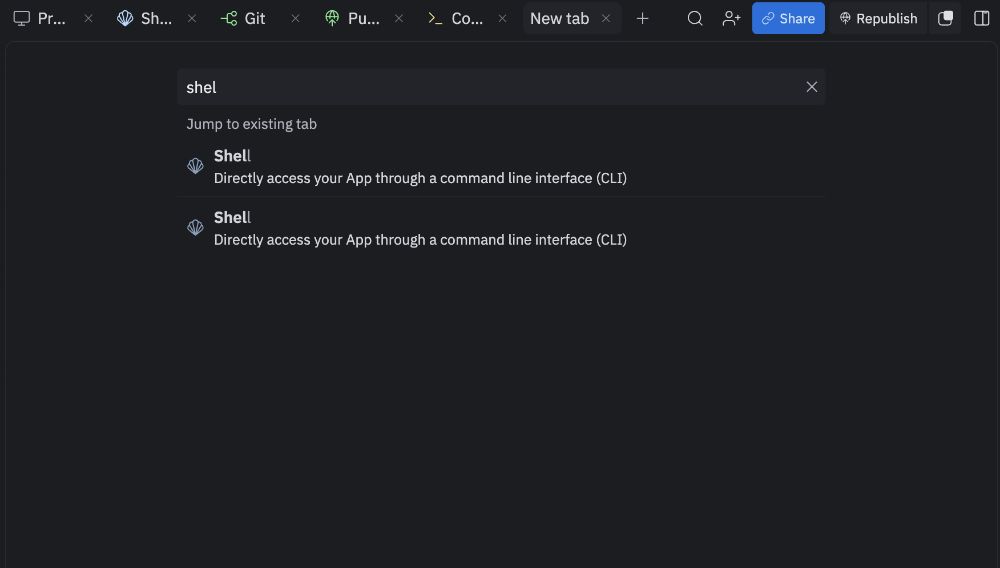
Visual Walkthrough (authorization flow)
Important Notes
Git is your best friend. While changes are automatically saved after changes made by the Replit agent, this is not the case with these CLI agents. You will find yourself having to make git commits manually after significant code changes. Get familiar with the Git tab so you can roll back changes if an agent goes off the rails.
Memory: Unlike the built-in Replit Agent, these CLI agents do not preserve memory between sessions. Treat each session as a fresh context or provide necessary context files manually.
Session Memory Hack: Create a CURRENT_TASK.md file to provide "session memory" context for your agents. Periodically ask your agent to update the file when you are in the middle of complex development tasks. When you resume your session, ask the agent to read the file for context to pick up where you left off.